Start here
What quickS3 is and is not
What quickS3 does for your team, your AI tools, and your storage account, and what it deliberately isn't: a backup, a sync tool, or a storage console.
OwnerAdminMemberAI user
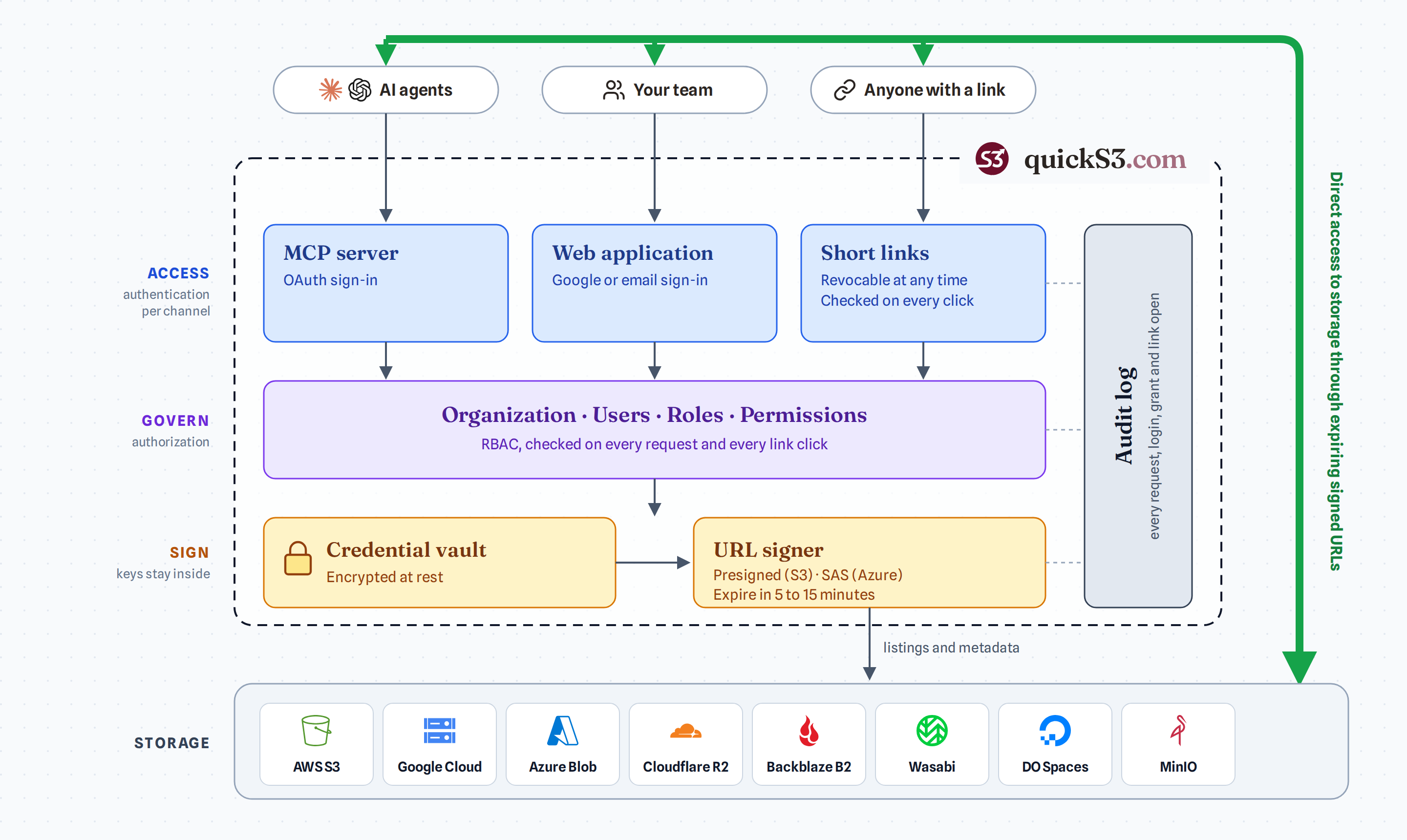
quickS3 is a web app for sharing cloud storage with your team. You connect your storage account once. After that, people sign in to quickS3 and see only the buckets and folders you’ve given them. Nobody else needs the storage console or its keys.
With quickS3 you can:
- Give each person separate read, write, delete, and share access to specific buckets or folders.
- Browse, preview, upload, download, and delete files in the browser.
- Send someone outside your team a download link that expires.
- See who did what in a 14-day audit log.
- Let AI clients like Claude Code and Codex work with your files, limited to roles you pick.
It works with AWS S3, Cloudflare R2, Backblaze B2, DigitalOcean Spaces, Wasabi, Google Cloud Storage, Azure Blob Storage, and MinIO.
What quickS3 doesn’t do
- It doesn’t store your files. They stay in your storage account. Uploads and downloads go straight between the browser and your provider.
- It isn’t a backup. There’s no recycle bin, and deleted files are gone unless your provider keeps old versions.
- It isn’t a sync tool. There’s no desktop app that mirrors folders.
- It isn’t a full storage console. You can’t manage lifecycle rules, versioning, or file metadata from quickS3.
- It isn’t built for regulated data. It uses long-lived access keys, has no compliance certifications, and keeps its audit log for 14 days. Read the security model before connecting sensitive data.
Where to start
- Setting up for your team: connect your first bucket.
- Invited by someone: member quickstart.
- Want the big picture first: core concepts.