Invite people, change roles, and remove people
Invite someone by email, tick the roles they need, change those roles later, and remove people again, all from the People page in quickS3.
All of this happens on the People page, which Owners and Admins can open. It lists everyone in the organisation, their roles, a short summary of their access, and anyone who’s been invited but hasn’t joined yet.
Invite someone
Create the role they’ll need first, so you can pick it while inviting. Then:
- Select Invite.
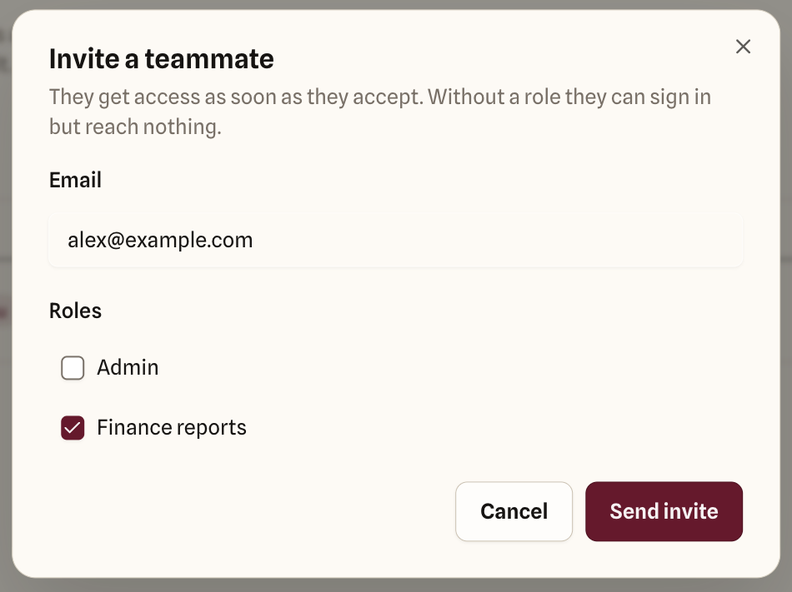
- Enter their email address.
- Tick their roles. Tick Admin only if they’ll help run the organisation.
- Select Send invite.
The invitation shows in the list with a status:
- Invited: sent, waiting for them to accept. It expires after seven days.
- Expired: they didn’t accept in time. Invite them again.
- Send failed: the email couldn’t be sent. Check the address and invite them again.
Select Cancel invite to withdraw an invitation before it’s accepted.
You can invite someone without any role. They can sign in, but won’t see any buckets until you give them one.
Change someone’s roles
- In the Roles column, select the person’s current roles.
- Tick or untick roles in the list.
- Select Save on their row, or Cancel to undo.
The change applies to their next action. The Access column updates to show what their roles now add up to.
Only Owners can tick or untick Owner, and the last Owner’s Owner role is locked.
Remove someone
- Select Remove on their row.
- Select Remove member to confirm.
They lose access to the organisation straight away, including any AI clients they’d connected to it. Their files stay where they are, and what they did stays in the audit log.
Admins can remove Members and other Admins. Only Owners can remove an Owner, and nobody can remove the last Owner.
Share links and file requests they created stop working too, because a link only works while its creator still has access. Anyone who already downloaded a file keeps their copy, so if you’re removing someone because you no longer trust them, check the audit log for what they downloaded and shared recently.