Share a file with a public link
Send one file to someone outside quickS3 with a download link that expires after 1 hour, 24 hours, or up to 30 days, and revoke it early if it leaks.
A share link lets someone download one file without a quickS3 account. It’s meant for one-off handovers, like sending a report to a client. If someone needs ongoing access, invite them instead. To collect files from someone, send a file request.
Create a link
- Find the file and select the share icon in its row. You need Read and Share on the file; without Share, the icon isn’t shown.
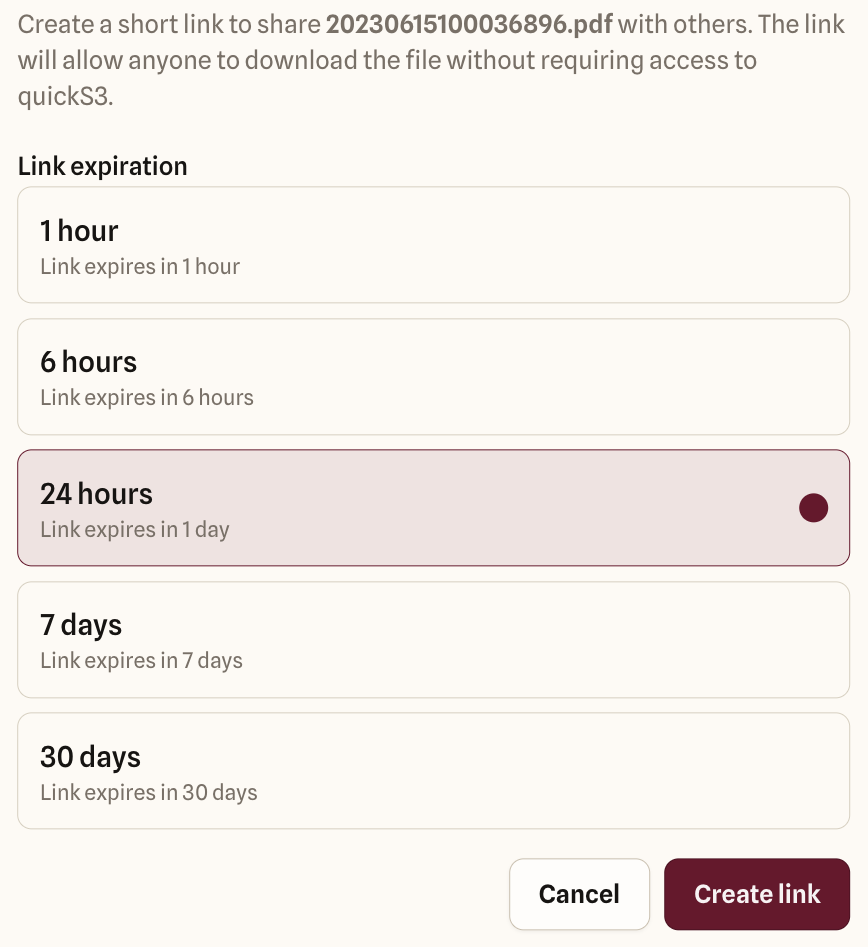
- Under Link expiration, pick how long the link should work: 1 hour, 6 hours, 24 hours, 7 days, or 30 days. 24 hours is selected to start with. Your organisation may allow only the shorter options.
- Select Create link.
- Select Copy link, and send it to the person.
What the recipient gets
Anyone who has the link can download the file until it expires. They don’t sign in, and they can’t see anything else in the bucket. Each download is recorded in the audit log as Download via share link, under your name.
The link has no password and isn’t tied to one person, so anyone it’s forwarded to can use it too. Don’t use share links for passwords, contracts, or anything you’d be upset to see forwarded.
When a link stops working
A link works until the first of these happens:
- It reaches its expiry time.
- You or an Owner or Admin revokes it on the Shared links page.
- You lose Read or Share on the file, or leave the organisation.
- An Owner or Admin switches download links off for the organisation, or lowers the longest a link can work below its age.
- The file, or its connection, is deleted.
Links created by an AI client also stop when that client’s access ends.
Revoke a link
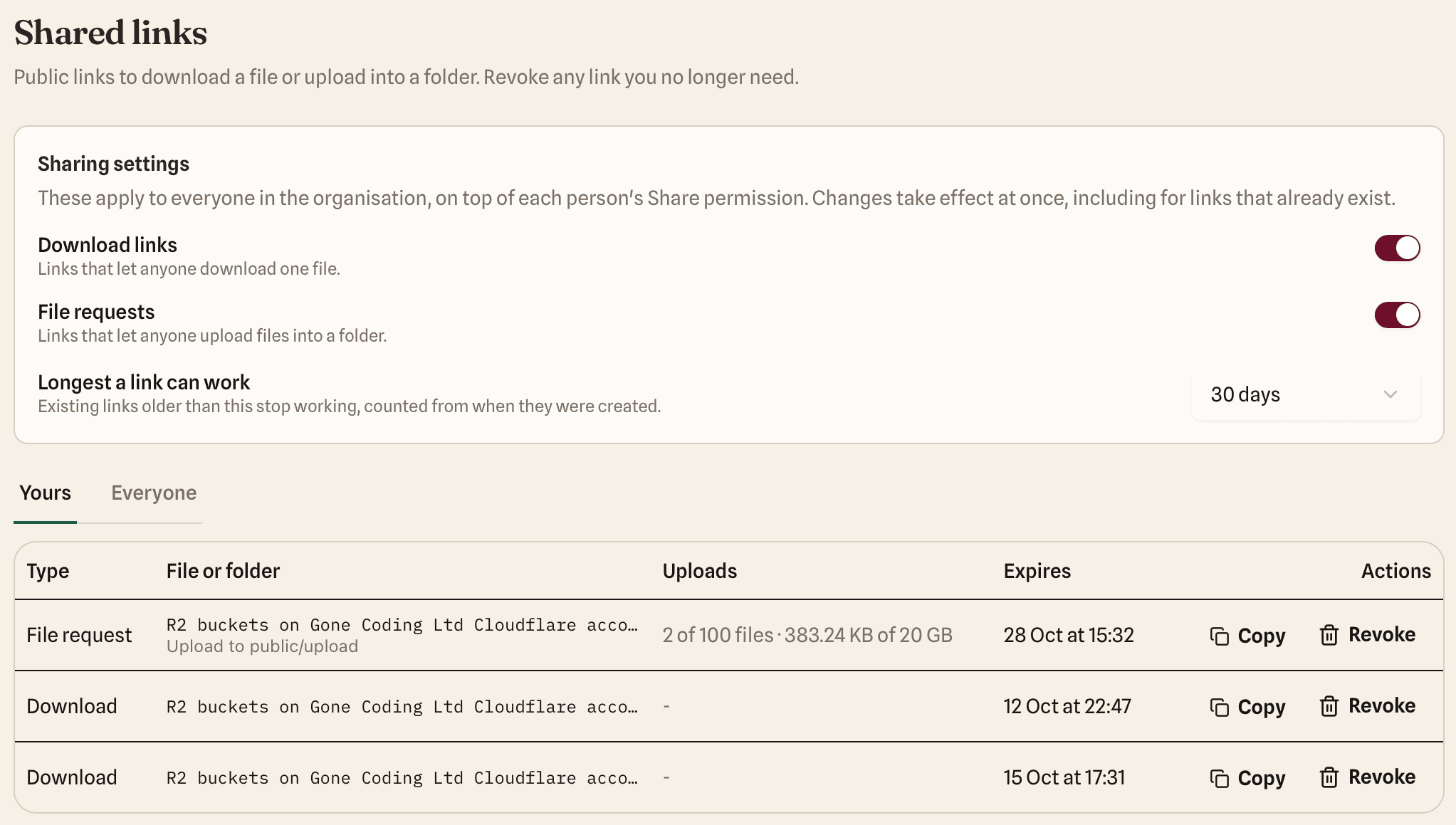
Open Shared links in the sidebar to see every link you’ve created that still works. Select Revoke next to a link and confirm. It stops working at once and for good: a revoked link can’t be switched back on. Owners and Admins can switch to Everyone to see and revoke anyone’s links.
If a link reaches the wrong person, revoke it, then create a new one with a shorter expiry if you still need to share the file.