Easy S3 Access for Teams
Share S3 files with humans and AI agents.
Your team, your customers, and now your AI agents need to browse, upload, or download files from S3. You need to give them access without handing out your cloud credentials.
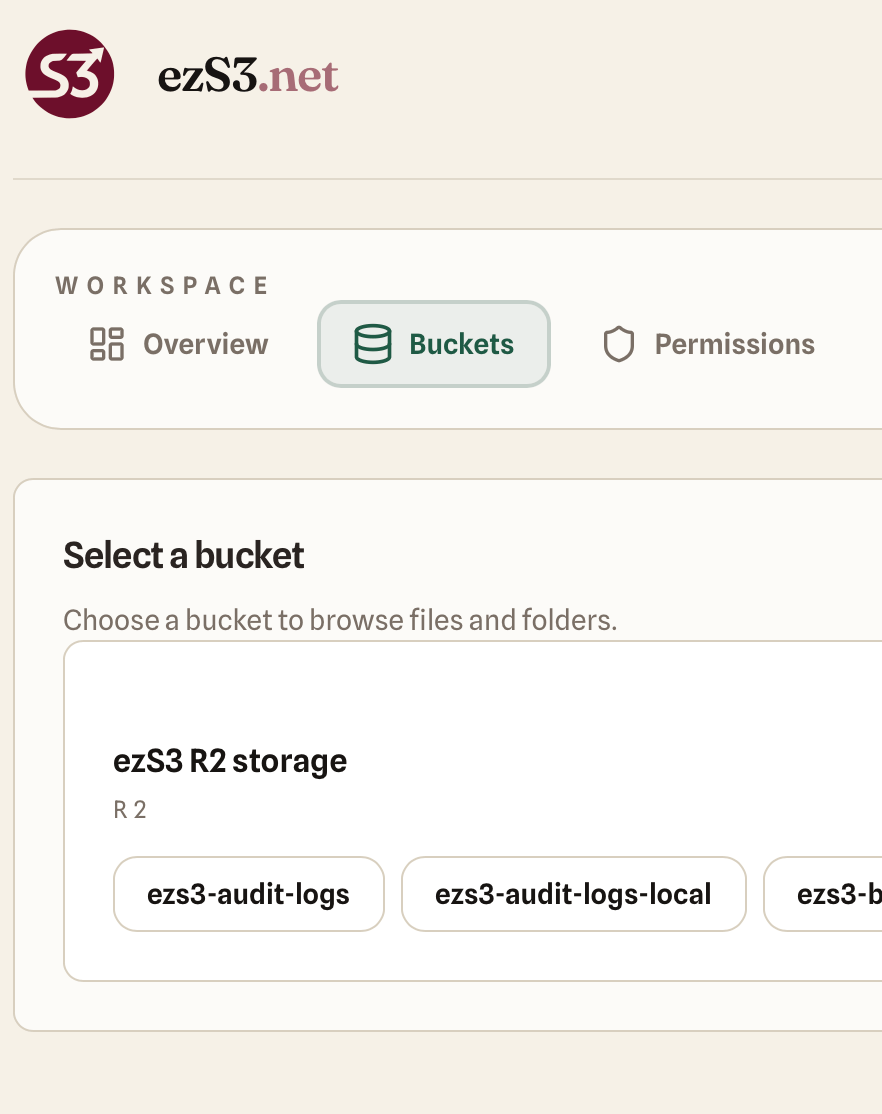
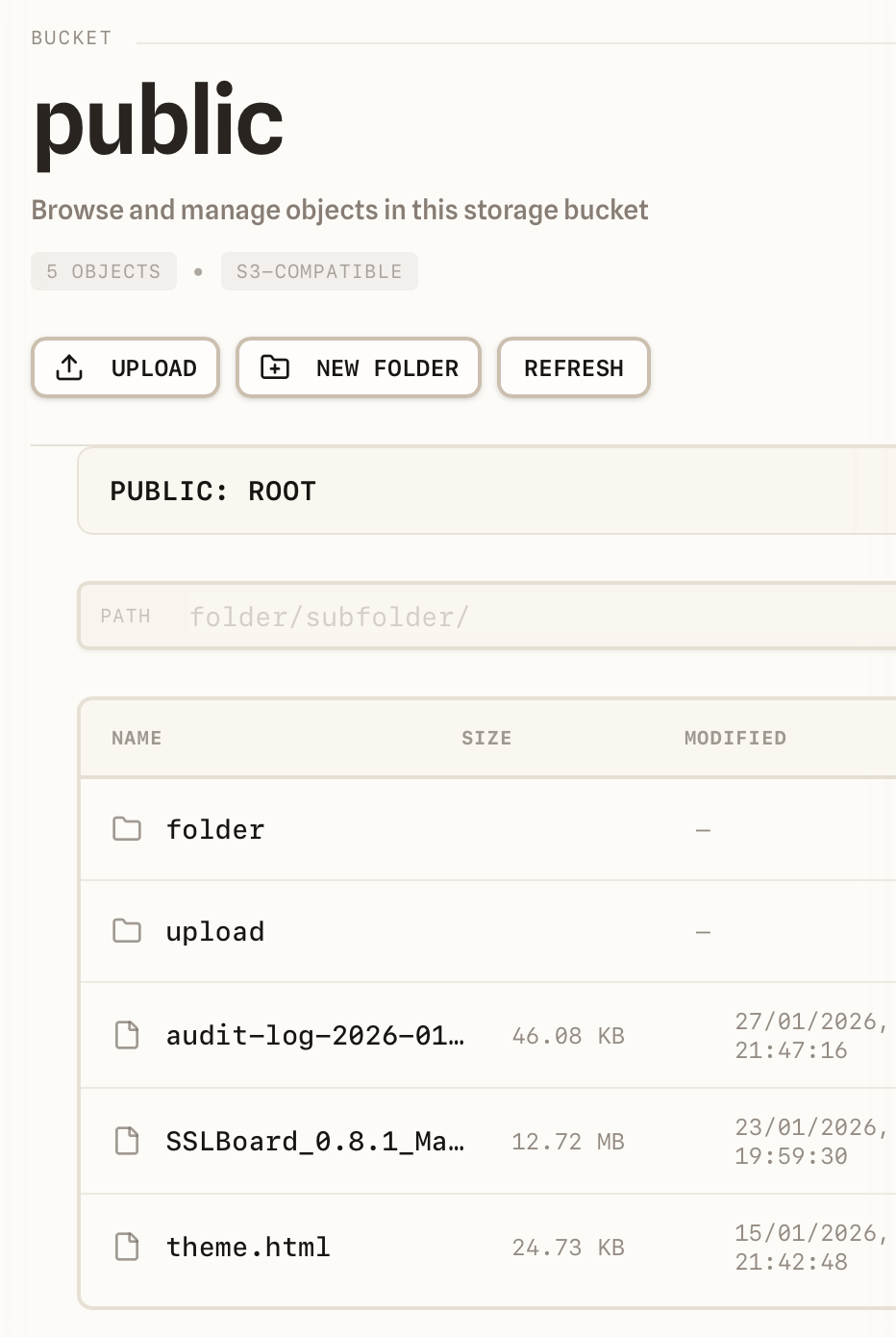
quickS3 is a web UI and MCP server that connects to your buckets. You invite teammates and customers, send share links, connect agents like Claude Cowork or ChatGPT Work, set per-folder permissions, and audit everything.
Works with Amazon S3
Built for teams, not IAM experts
Share access to buckets safely: invite teammates and customers by email, send files with a link, connect AI agents over MCP, limit everyone to specific buckets and folders, and see who did what, without handing out admin keys.
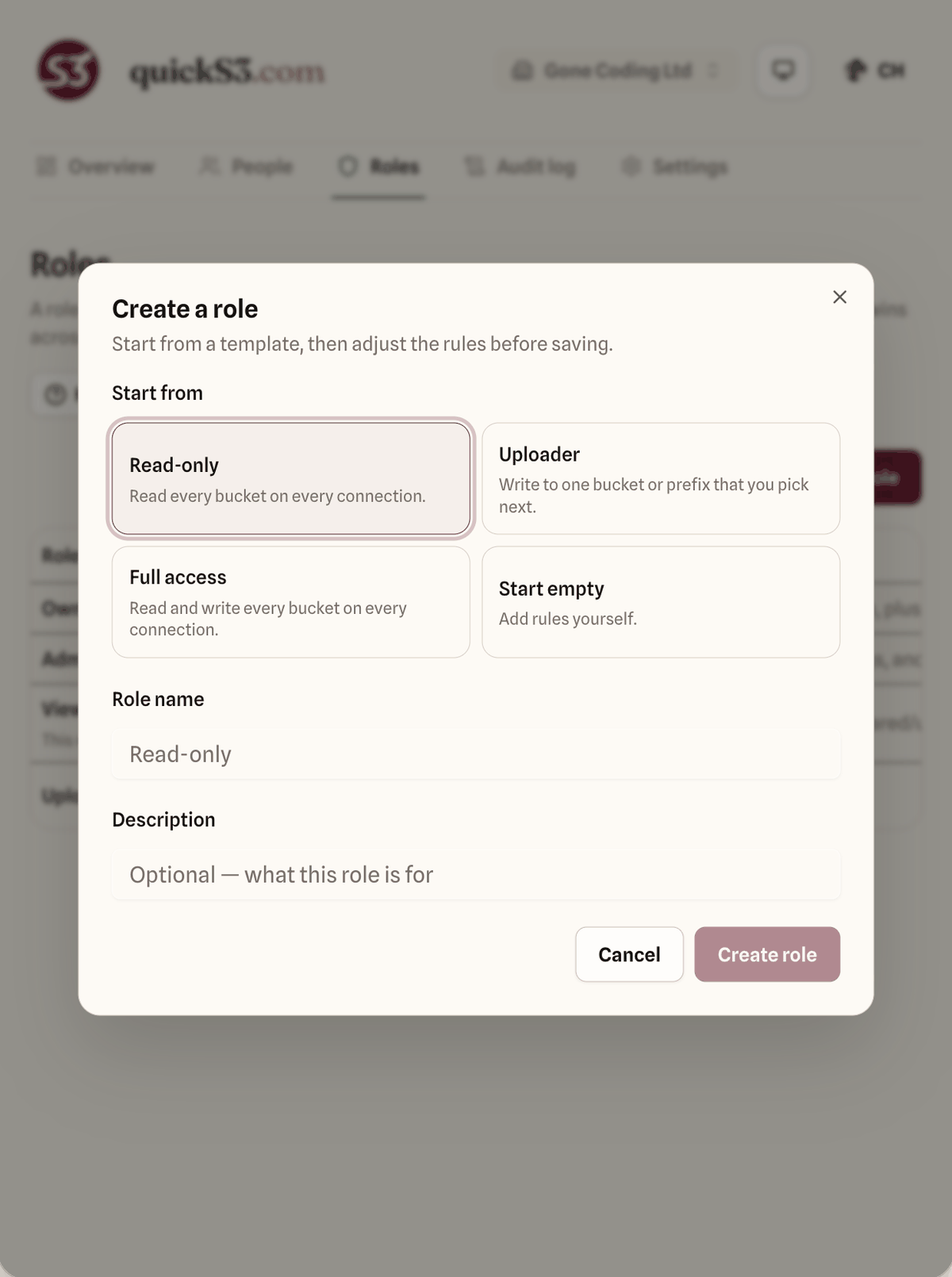
Role-Based Access Control
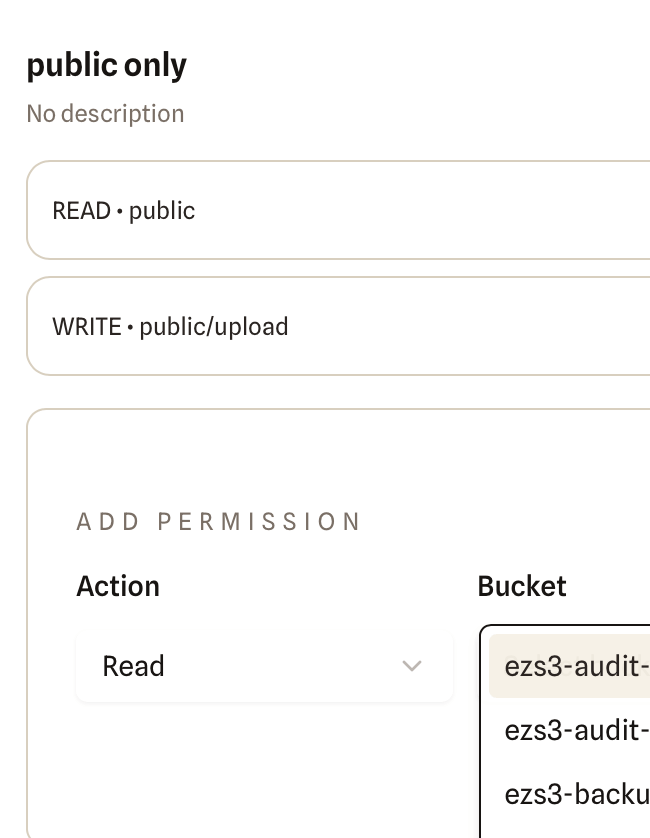
Give teammates and customers the right level of access without exposing IAM complexity. Allow a bucket or folder prefix, then carve out a narrow deny exception when needed. A deny always wins across assigned roles.
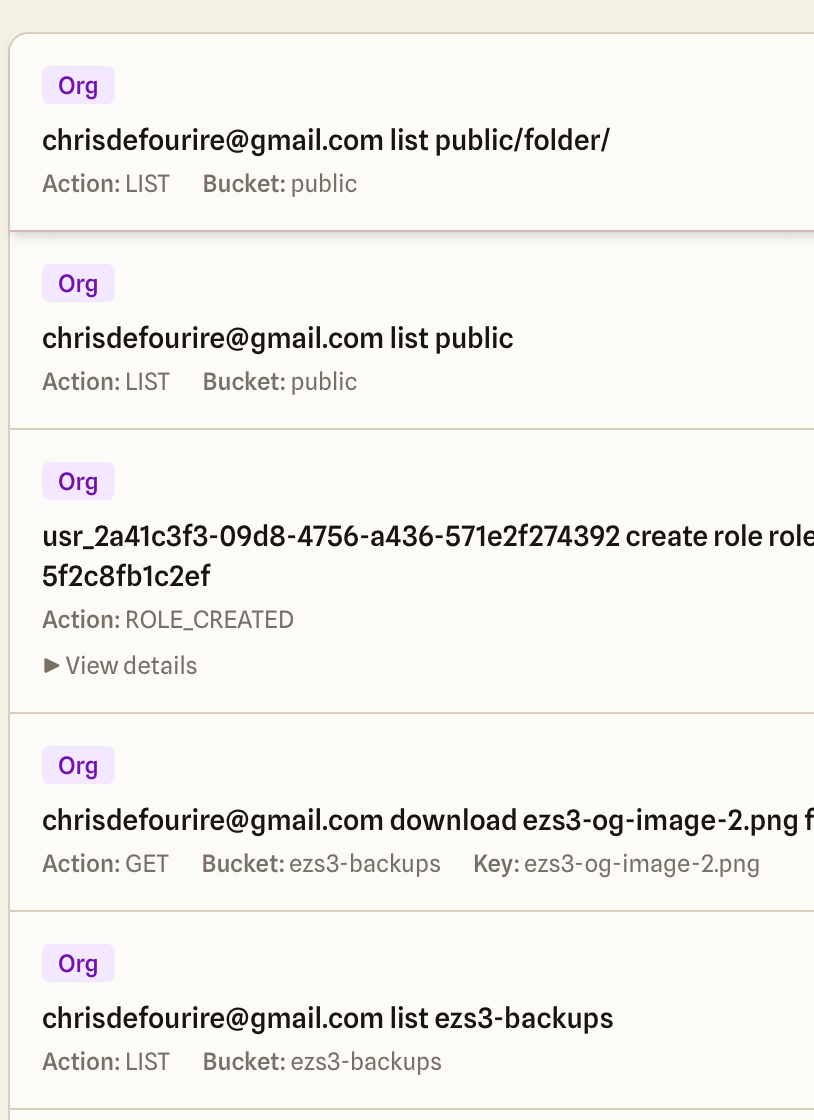
Audit Logging
See who accessed what and when. Short retention keeps storage lean while providing accountability for small teams. It answers 'who downloaded that file?' without enterprise overhead.
Share Links and File Requests
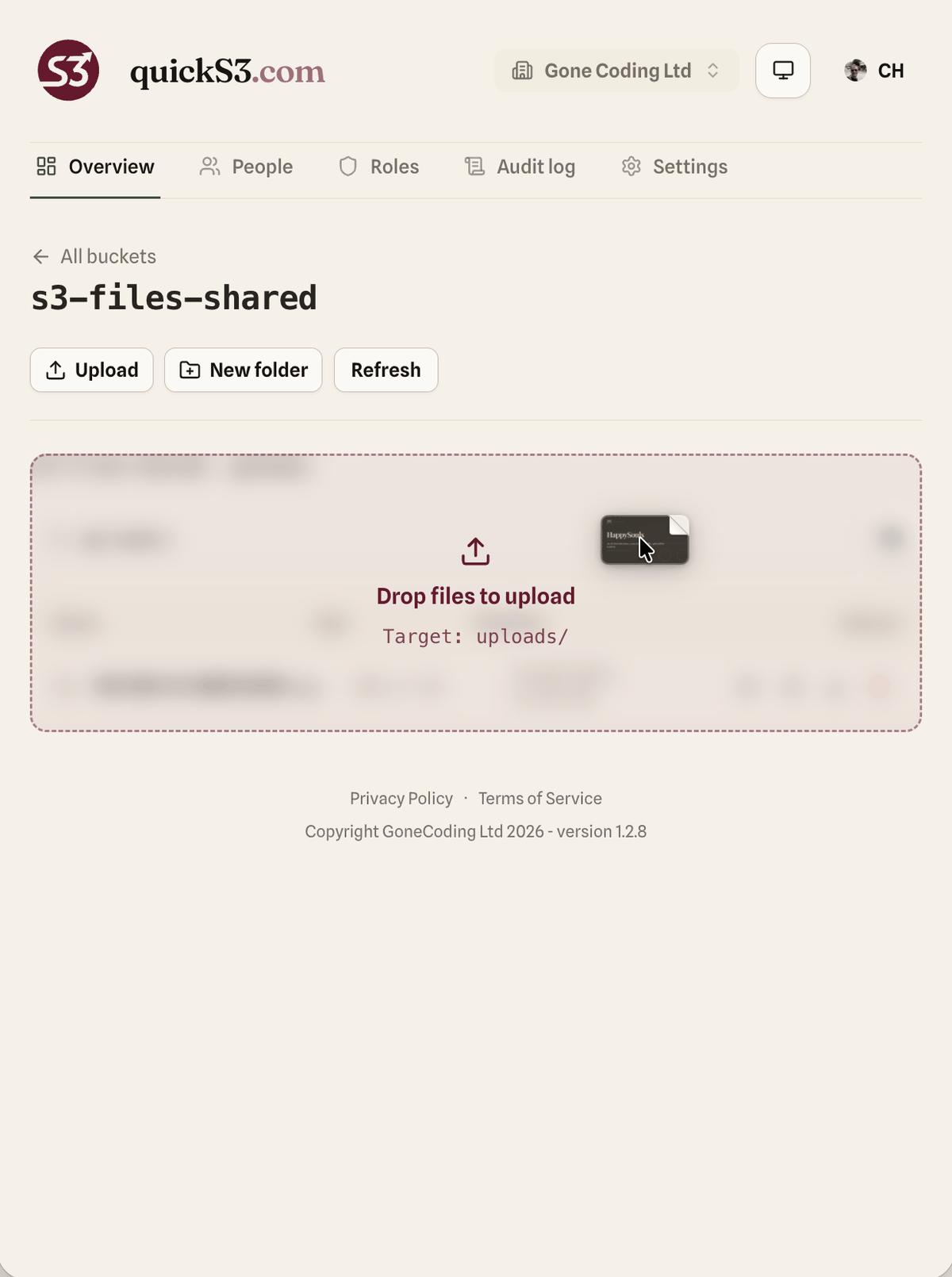
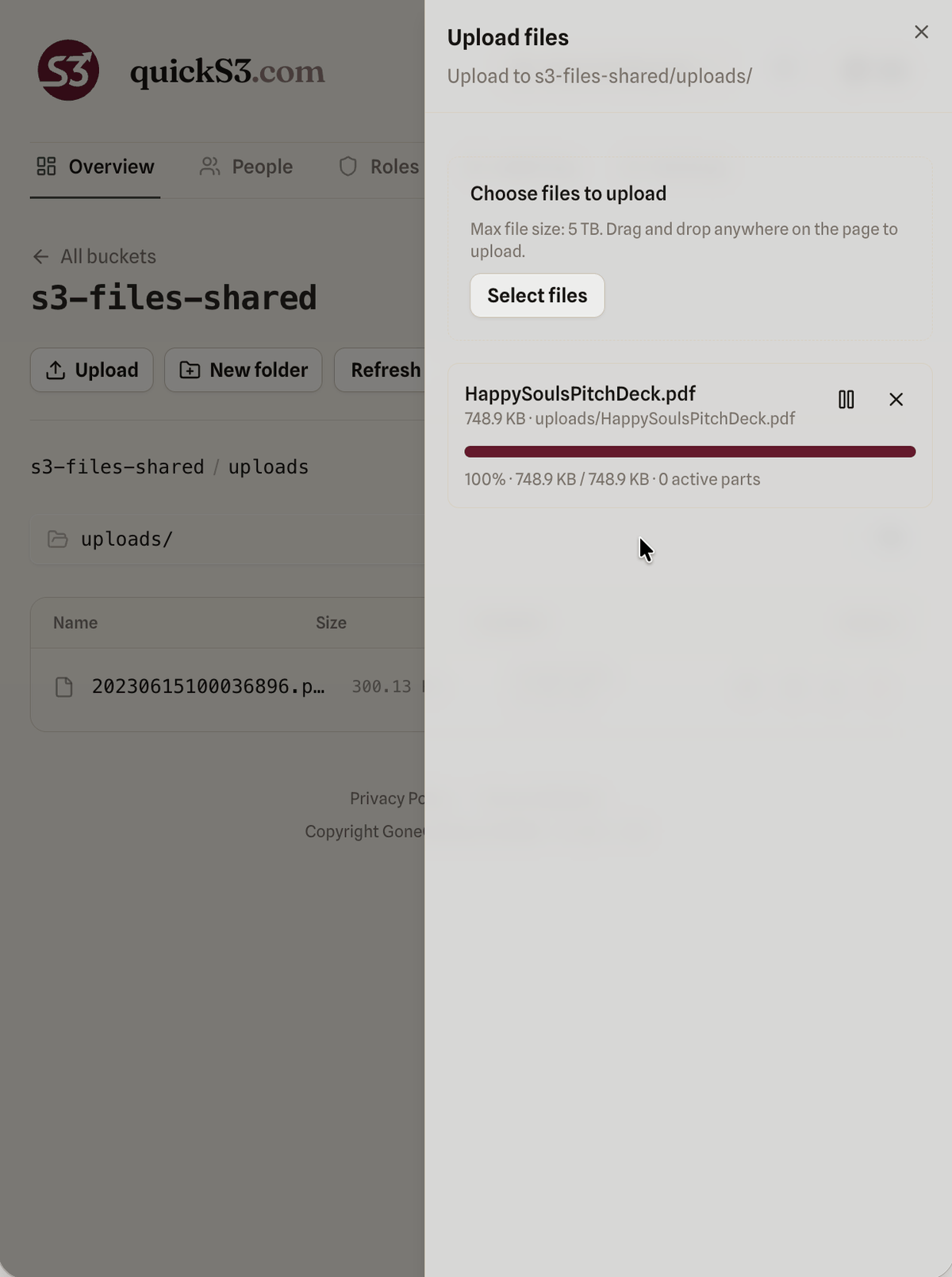
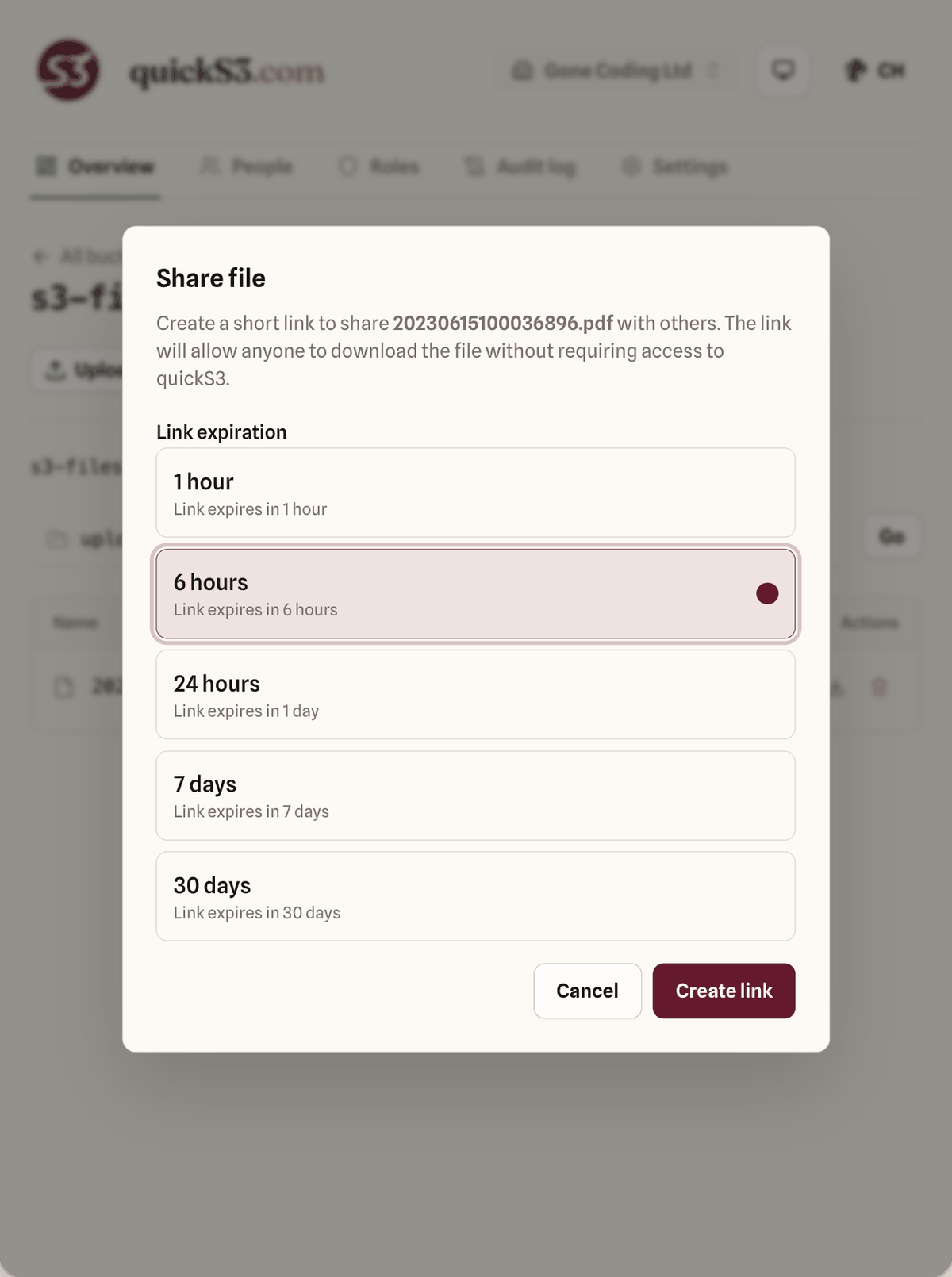
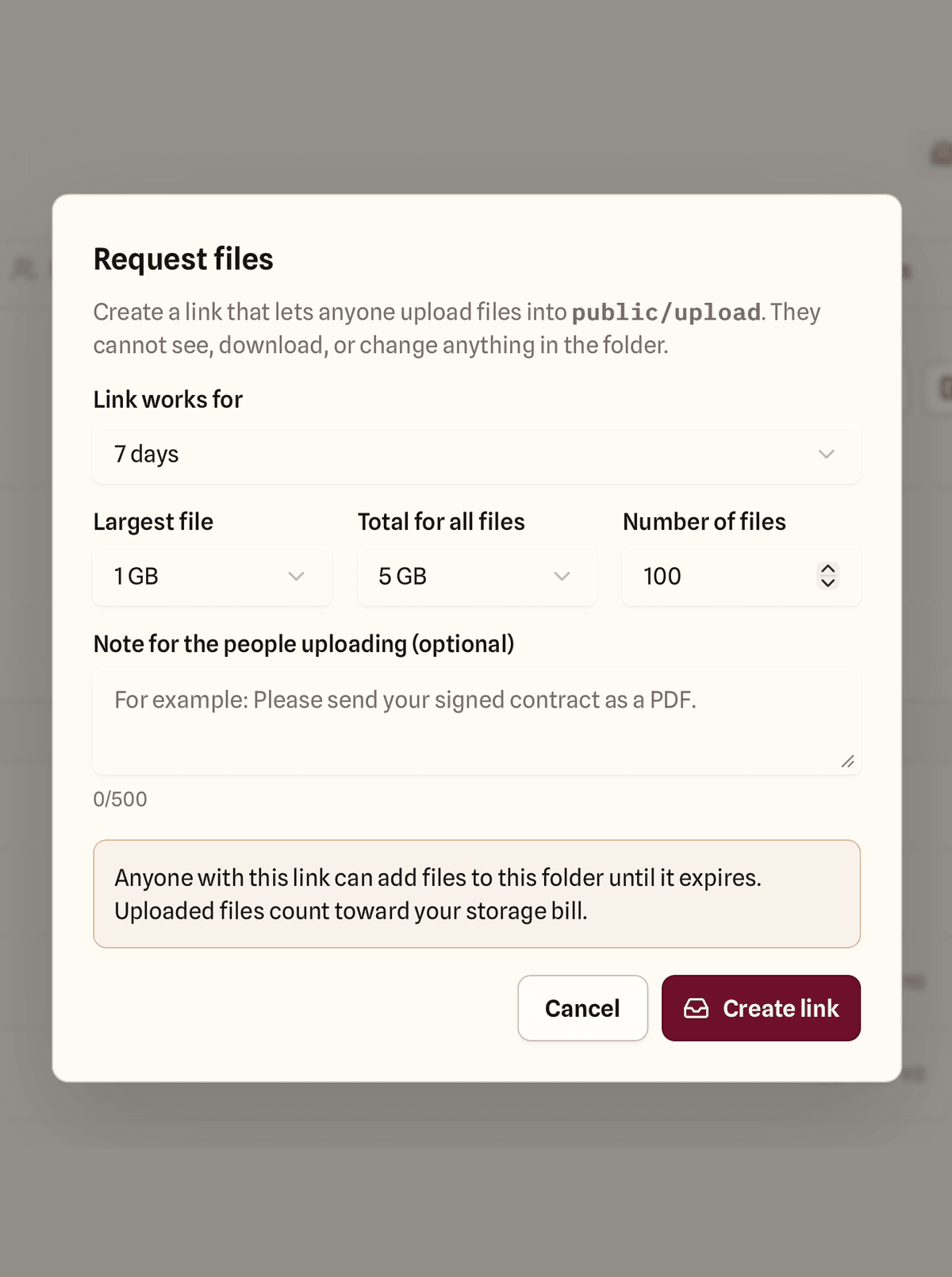
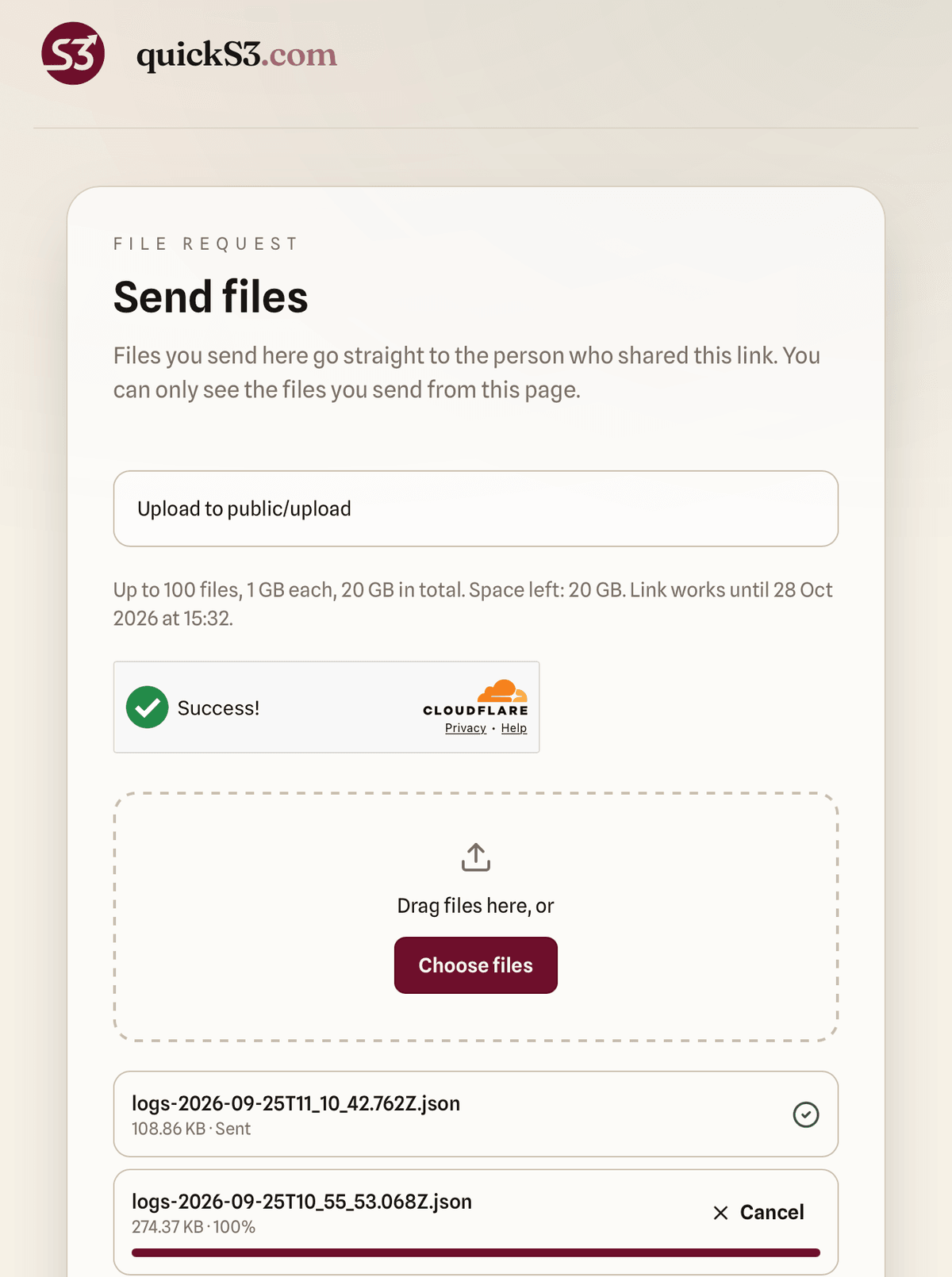
Send a customer one file with a link that expires, from 1 hour to 30 days. Or send a file request: they drop files into a folder you choose, without an account and without seeing what's already there. Every download and upload is in the audit log, and you can revoke a link at any time.
Magic Link Authentication
Passwordless login via email. Users click a link, no passwords to manage or forget. Easy access for teammates and customers who aren't tech-savvy, with no separate account to create.
AI Agent Access over MCP
Connect Claude Code, Codex, ChatGPT, Claude Cowork, or any remote MCP client to your buckets. An agent gets only the roles you delegate, nothing more: the same bucket and folder rules, the same deny-wins checks. Files move directly between the agent and your storage provider, never through quickS3. Every action shows up in the audit log tagged as agent activity, and you can revoke access at any time.
S3-Compatible Storage
Works with AWS S3, DigitalOcean Spaces, Backblaze B2, MinIO, and any S3-compatible provider. Static tokens stored encrypted at rest. Your data stays in your bucket. quickS3 is just the gateway.
- AWS S3
- Azure Blob Storage
- Backblaze B2
- Cloudflare R2
- DigitalOcean Spaces
- Google Cloud Storage
- MinIO
- Wasabi
- Oracle Object Storage
FAQ
Who is quickS3 for?
Anyone whose files live in S3-compatible storage and who needs to share them with people who don't use AWS. Use it inside your team, so colleagues browse and upload without IAM users. Use it with customers, so each one gets a private folder, a link to one file, or an upload link to send you theirs. And connect AI agents with the same limits.
Is quickS3 a storage system like MinIO?
No. quickS3 is a hosted UI layer on top of your existing S3-compatible storage. You get a friendly interface, roles, and audit logs. We don't run or replace your buckets.
Does quickS3 copy or store my data?
No. Your objects stay in your bucket. quickS3 connects to your storage so your team and your customers can browse, upload, and download with the permissions you set.
How do permissions work?
Use allow rules for a connection, bucket, or folder prefix, then add narrow deny exceptions when needed. A deny always wins across a person's roles.
Can I limit access to just one folder?
Yes. Use a folder prefix (e.g. /logs/ or /brand/). People only see and act on objects under that path.
Can I share files with customers?
Yes. Invite a customer by email with a role limited to their folder, send one file with a share link that expires, or send a file request so they can upload files to you without an account. Every download and upload is in the audit log.How to share S3 files with customers
Can AI agents use quickS3?
Yes. quickS3 is a remote MCP server, so AI apps like Claude Code, Codex, ChatGPT, and Claude Cowork can connect to it. You authorize the agent in your browser and pick which of your roles it may use; it gets those roles' bucket and folder permissions and nothing else. Files transfer directly between the agent and your storage provider, actions are logged as agent activity, and you can revoke access at any time. Agents don't count as users.
What storage can I connect?
AWS S3, Cloudflare R2, Backblaze B2, DigitalOcean Spaces, Wasabi, Azure Blob, MinIO, and any S3-compatible API. Add a connection in Settings with your access key and bucket; your data stays in your bucket.
Do I need to move or change my bucket?
No. Use your existing bucket and provider. Add a storage connection in quickS3 (access key and optional bucket scope); your team gets the UI without moving any data.
Why not share the AWS console or presigned URLs?
Console access is all-or-nothing and hard to audit per person. Presigned URLs are one-off and don't give a persistent, role-based view. quickS3 gives each person limited, audited access so you don't over-share credentials.
How long are audit logs kept?
14 days. Enough to answer "who did what" without long-term retention; longer retention may come in a future plan.
How do users sign in?
Magic links by email by default, with Google OAuth available. Teammates and customers sign in to quickS3 only. They never see your storage credentials.
Security
quickS3 sits between your team and your storage. Its job is to hand out as little access as possible, for as short a time as possible, and to write down what was done with it.
Your keys never leave our servers
Storage keys are encrypted at rest with AES-GCM and decrypted only in memory, to list files and sign links. They are never sent to a browser or an AI agent, not even to Owners.
Your files never pass through us
Uploads, downloads, and previews go straight between the browser or agent and your storage provider. Each transfer uses a signed link made for one person, one file, and one action, and it expires in minutes. quickS3 keeps no copy of your files. The one exception is an upload fallback for storage that blocks browser uploads, which is off unless an Owner turns it on.
Every action is checked, then logged
Each request is checked against the person's current roles, and a deny always wins. Remove someone and their next click is refused. Allowed and denied actions, by people and by agents, go into a 14-day audit log.
Organisations stay apart
Each organisation lives in its own isolated store with its own members, roles, encrypted keys, and audit log. Nothing crosses from one to another.
What we don't do yet
No SOC 2 or ISO 27001 certification. No temporary credentials: quickS3 works with the long-lived access keys your provider issues. No SAML, SCIM, or two-factor authentication. Audit events are kept for 14 days, not forever. If your data is regulated or highly sensitive, read thefull security modelbefore you connect it.
Pricing
Team
Everything a small team needs to share storage safely.
Includes 10 users, then $2/user/month.
- Unlimited roles and storage connections
- Bucket and folder permissions
- Audit log with 14-day retention
- AI agent access over MCP
- Agents never count as users
| 5 users | 10 users | 15 users | 25 users |
|---|---|---|---|
| $19 | $19 | $29 | $49 |
Extended
Coming soonFor teams with identity and compliance requirements.
Includes 10 users, then $4/user/month.
Everything in Team, plus:
- Single sign-on (SSO)
- Long-term audit retention
- Service principals for unattended agents
- Organisation-wide agent policies
| 5 users | 10 users | 15 users | 25 users |
|---|---|---|---|
| $49 | $49 | $69 | $109 |
Every plan starts with a 14-day free trial. No credit card required. You only pay for people who have joined.
Ready to get started?
Your team and your agents need S3 access.
Let's get you set up.
Sign in with a magic link (or Google), invite your team and your customers, connect your AI agents, and set up role-based access in minutes. Made for small teams, agencies, and startups.
Contact
Whether you need help setting up your team, want to discuss enterprise features, or just have a question, we're one email away. We usually respond within 24 hours.
contact@quicks3.com