Storage connections
What a storage connection is, what it stores, who in your organisation can see or change one, and how to set one up safely.
A connection links quickS3 to one storage account. It holds the provider details, like the region or endpoint, and the access key quickS3 uses to reach your buckets. One organisation can have as many connections as you like, even several for the same provider.
Only Owners can add, edit, or delete connections. Admins can see them and run Test connection. Members never see connections at all. They only see the buckets and folders their roles give them.
Supported providers
Pick the provider in the Provider list when you select New connection. Each has its own setup guide:
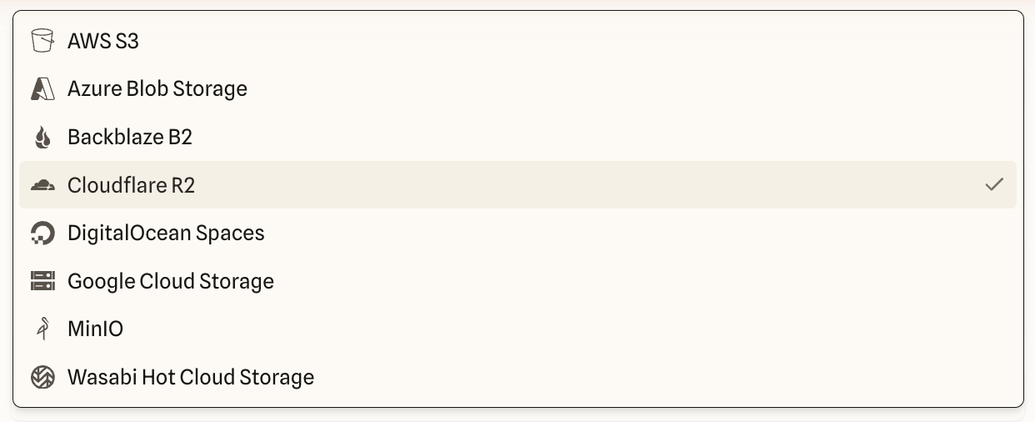
- AWS S3
- Azure Blob Storage
- Backblaze B2
- Cloudflare R2
- DigitalOcean Spaces
- Google Cloud Storage
- MinIO
- Wasabi
What a connection stores
| Setting | What it’s for |
|---|---|
| Name and description | How the connection appears to your team on Buckets and in the role editor. |
| Connection slug | The short name in bucket addresses. See slugs. |
| Provider, region, endpoint | Where quickS3 sends requests. Most providers only need a region or account ID; quickS3 works out the endpoint. |
| Bucket scopes | Optional list of buckets to use. Needed when the key can’t list all buckets, and useful to hide buckets your team shouldn’t see. |
| Access key and secret | Encrypted when you save. Nobody can read them back, including Owners. |
| CORS updates | On by default. Lets quickS3 add itself to your buckets’ CORS rules so browsers can upload directly. |
| Backend upload fallback | Off by default. Sends uploads through quickS3’s servers instead. Only for when direct uploads can’t be made to work. |
| Upload size limit | Optional cap on file size for this connection, on top of the provider’s own limits. |
Setting one up safely
- Create a new access key just for quickS3, with only the access your team needs. Least-privilege keys explains what to grant.
- Add the connection and test it.
- Create a role that grants the buckets or folders people need, and assign it.
- Ask someone who isn’t an Owner to open a bucket, to check the role works.
A role can never give more than the key allows. If the key can only read, nobody can upload through quickS3, whatever their role says.
To change settings, swap the key, or remove a connection, see Edit, rotate, or delete a connection.